
Spin The Wheel - Random Picker Wheel is a free tool that you can use to make random picks. It is a random spinner wheel that helps you make smart decisions when you're stuck. Especially for kids, this spin the wheel game makes choices easier. Businesses use it as a lucky draw wheel.
Our random choice wheel acts as a random decision maker for many. You just need to pick a wheel available or customize one as per your needs. You get two different modes from this online spin the wheel game.
Both modes are very easy to use.
Follow these steps to wheel spin using the default mode of our online random wheel spinner.
That is it. No confusion, no debate, and no bias.
When you open our random picker wheel, you will see some text entries set by default.
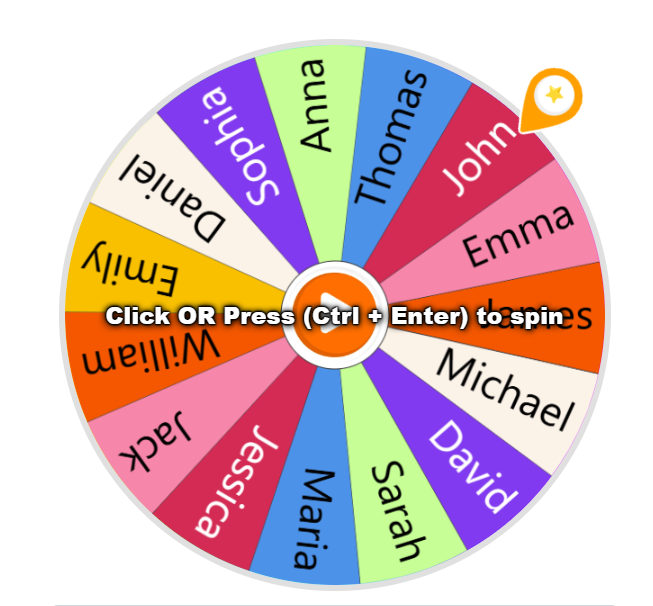
Our custom wheel spinner lets you customize entries in the input box. You can replace the text entered by default and also make new entries (upto 1000).
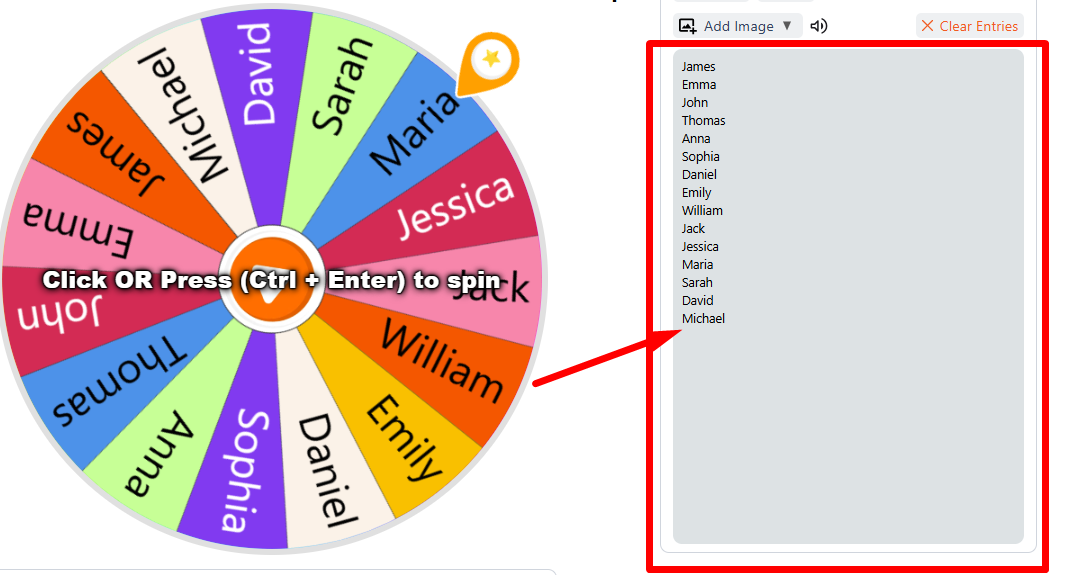
Our wheel of choice also allows you to add images. You can add images as entries by clicking the ‘Add Image’ option.
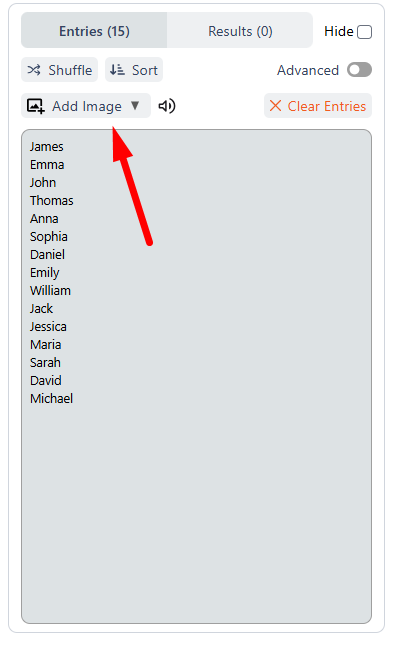
Once you click on ‘Add Image,’ you will see three different options:
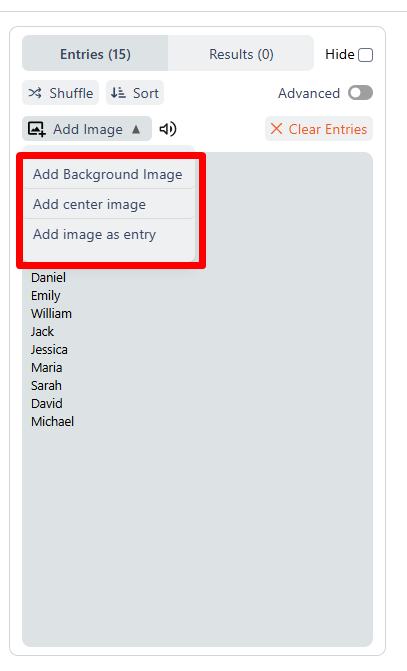
Click Add Image as Entry and upload an image from your device. Once upload that image will appear as the slice on the wheel.
It is necessary to make one entry per line. Every entry will appear as a separate slice in the wheel. Also, removing an existing entry automatically removes the corresponding slice from the wheel.
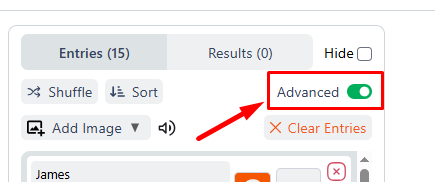
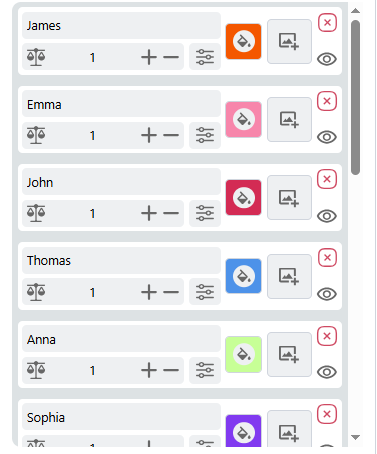
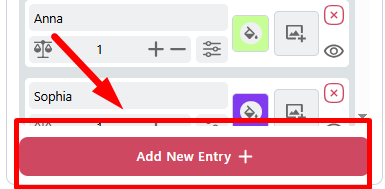
The advanced mode of our custom wheel spinner is also simple to use. The steps are very similar: you add entries and spin the random wheel. You receive additional styling features and control over slices.
Follow these steps to spin a wheel using the advanced mode.
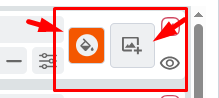
It’s that simple.
Our wheel spinner offers you some advanced settings so you can get the wheel of choice. You can open them by clicking the ‘Settings’ button just below the wheel.
Once you click on the settings buttons, you will see 4 different tabs named:

Here’s what each of these tabs entails.
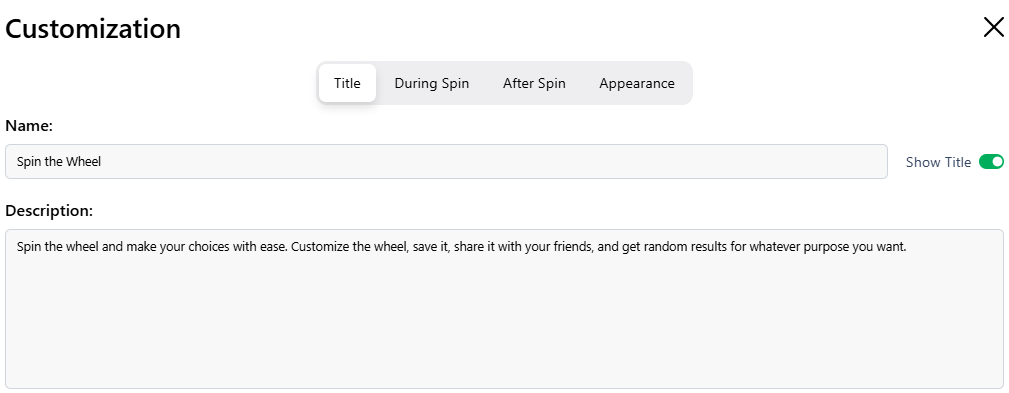
In this tab, you can change the wheel's name and description to suit your usage needs. For example:
Or
You can also disable both the title and the description by switching off ‘Show Title’.
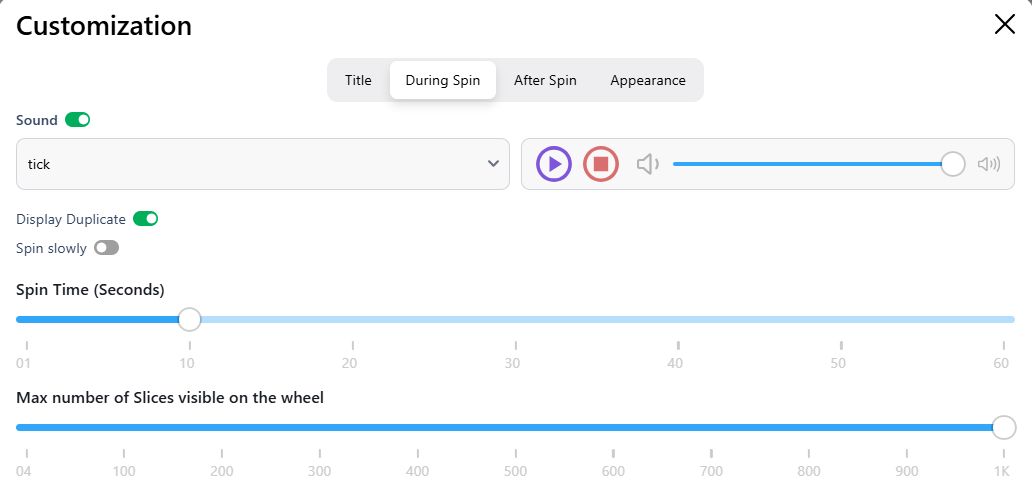
This tab lets you control how the wheel spinner spins.
You can:
Below the sound settings, you will see the Spin Slowly button. Turn it on if you want the wheel to spin at a lower speed.
Next, you can set the spin time. You can choose:
After that, you can set the maximum number of slices on the wheel. You can choose:
These settings help you control speed, time, and wheel size easily.
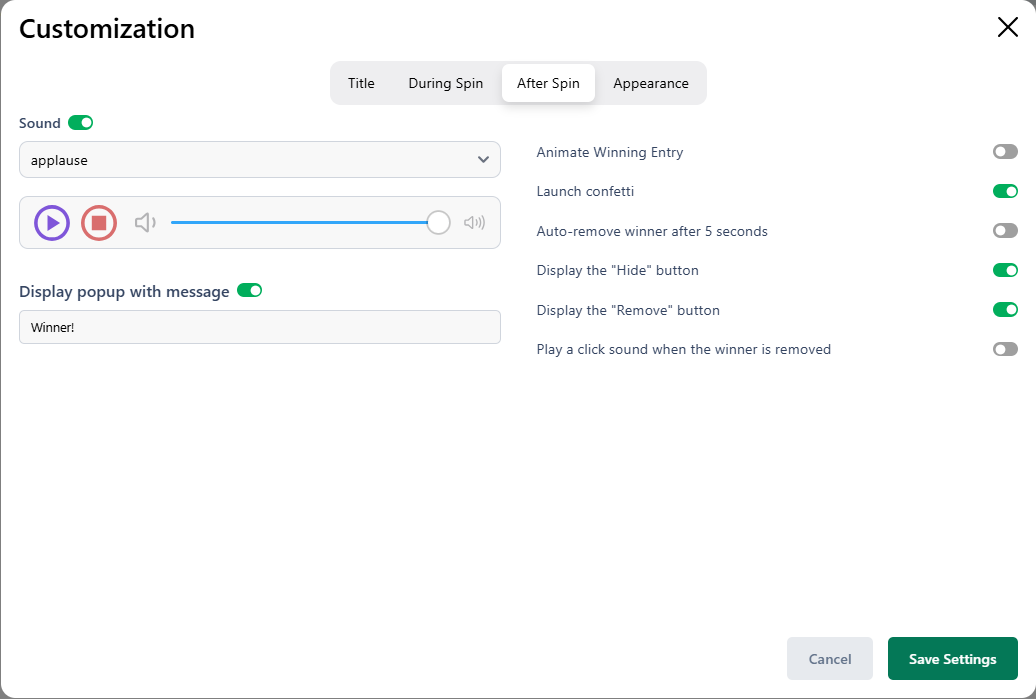
This tab lets you control what happens after the wheel stops. You can manage sound, effects, buttons, and winner actions from here.
You can turn the sound on or off by switching the ‘Sound’ switch. If sound is on, you can:
This sound plays after the wheel selects a winner.
Below, you will see the ‘Display pop up message’ option. When the wheel stops spinning, you will see the ‘Winner’ message by default. You can disable this message and edit it.
For example, you can write:
You also get additional settings under the After Spin tab. These include:
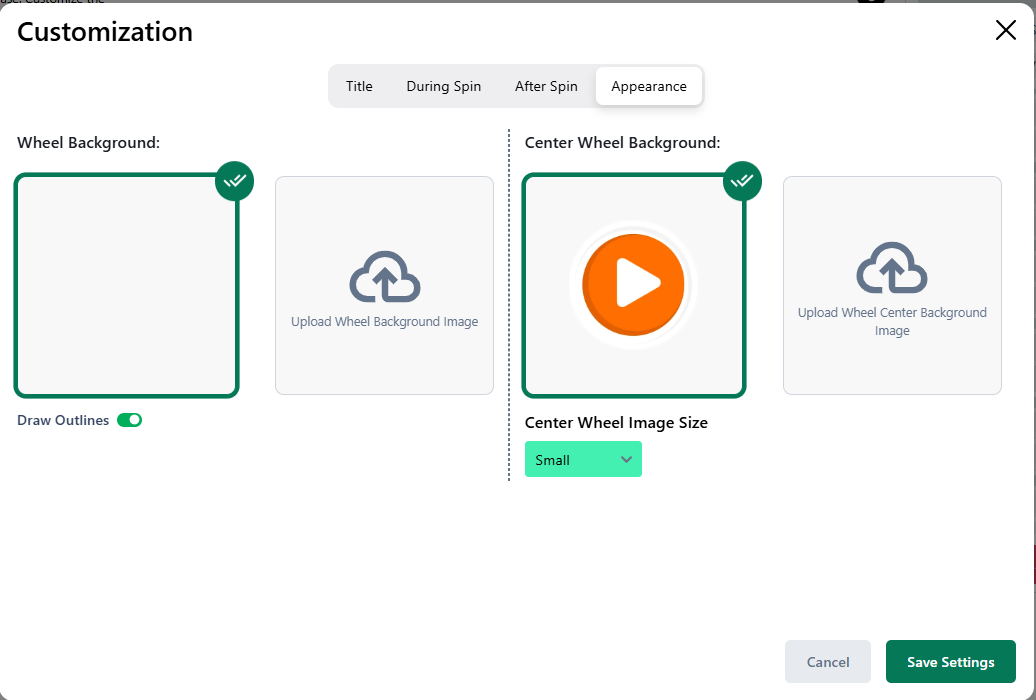
This tab lets you control how the wheel looks. You can change the background, center image, and outlines.
Our free wheel spinner gives you full control over how your wheel looks, sounds, and behaves. Here are the main customization features making our spin the wheel online generator the best.
You can add, remove, or edit items anytime in this custom wheel spinner. This gives you full control over every slice before you start.
You can type names, numbers, or ideas to build your random picker wheel in seconds. Just enter one item per line, and the wheel updates instantly.
You can upload pictures to create a visual random spinner wheel. Each image becomes its own slice, which makes the wheel more fun and engaging.
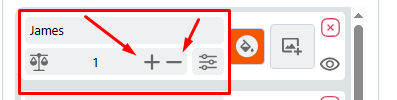
You can increase or decrease slice size to control chances on your decision wheel. A higher weight gives that entry a better chance to win.
You can adjust how each slice looks inside the wheel of choices. A clean design helps you read results faster and keeps the wheel attractive.
You can rename your wheel spinner and update the description anytime. If you prefer a clean layout, you can also hide the title.
You can control speed and time before you spin a wheel. This helps you match the spinning style to your event or activity.
You can decide what happens after a result appears in the spin the wheel game. Add effects, animations, or auto removal for smoother rounds.
You can turn the sound on or off in your free wheel spinner. You can also adjust the volume and pick a tone that fits your setup.
You can show a custom winner message in your online random wheel spinner. Edit the text to suit giveaways, classroom games, or fun challenges.
You can enable celebration effects in your lucky draw wheel to make results more exciting. If you want a simple look, you can turn it off anytime.
You can remove the selected entry automatically in your spin the wheel online game. This works well when you run elimination rounds.
You can upload a custom background for your random wheel spinner. The image appears behind all slices and changes the overall look.
You can add a logo or design in the middle of your spin-the-wheel tool. You can also adjust its size to make it more noticeable.
You can turn borders on or off in your random choice wheel. Outlines make each slice clear and easier to separate.
You can also save the results on the cloud drive. However, for this, you must sign up and log in to your account.
Spin-The-Wheel.net also offers you some preset wheel options. You can save time by using our ready-made wheels. Just open a preset, spin, and get your result in seconds.
You can use this wheel to randomly pick an animal name. It works great for classroom games and fun learning sessions.
You can spin this wheel to select a country at random. It is perfect for geography practice or trivia games.
This wheel lets you select a random cartoon character with a single spin. This is fun for kids, includes drawing challenges, and offers themed games.
Spin this wheel to pick a Disney movie for movie night. It helps you decide fast when everyone wants to watch something different.
You can use this wheel to randomly select an NFL team. It is useful for fantasy picks or game day fun.
Yes, our wheel spinner gives you random results. During spin, it follows a random pick pattern. Each spin works independently. It does not follow any fixed pattern.
Yes, our spin the wheel generator allows you to save customized wheels on the cloud drive. However, you must be logged in to your account to save a wheel. To save, click the ‘Save’ button below the wheel and fill required fields.
Yes, you can easily share a wheel with anyone by clicking the share button and copying it. When copying the share link, you can control whether others can copy your customized wheel. Or they are just allowed to spin it.
Weights change the size of a slice. A bigger weight gives that entry a higher chance to win.
No, this spin the wheel game does not favor any entry by default. Results depend only on randomness and the weights you set.